
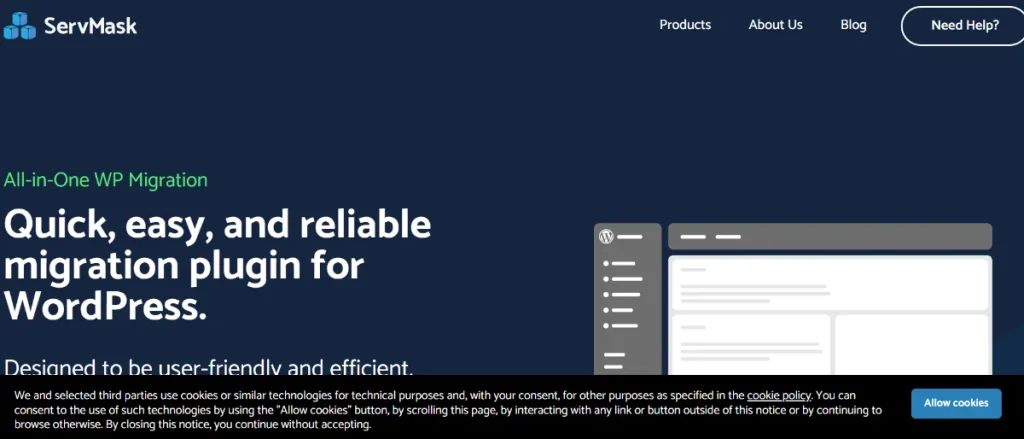
All-in-One WP Migration Unlimited Extension is one of the most popular WordPress migration and backup solutions for website owners, developers, agencies, and businesses that need a reliable way to move, clone, restore, and manage WordPress websites. Whether you are transferring a website to a new hosting provider, creating development environments, migrating client projects, or maintaining backups for disaster recovery, this plugin simplifies what would otherwise be a highly technical process.
Website migration can be one of the most challenging tasks in WordPress management. Traditional migration methods often require exporting databases, transferring files via FTP, updating configuration settings, modifying URLs, and troubleshooting compatibility issues. Even small mistakes can result in broken websites, missing content, or extended downtime. The All-in-One WP Migration Unlimited Extension eliminates much of this complexity by providing a streamlined solution that allows users to export and import complete WordPress websites with just a few clicks.
One reason for the plugin’s popularity is its accessibility. Beginners can migrate websites without technical expertise, while developers benefit from advanced migration workflows that save considerable time. The Unlimited Extension removes the file size restrictions found in the standard version, making it suitable for large websites, eCommerce stores, membership platforms, educational portals, and enterprise-level projects.
Another key advantage is flexibility. The plugin supports website cloning, staging environments, local development workflows, backup management, and server migrations. Instead of relying on multiple tools to handle different tasks, users can manage migrations and restorations through a single interface.
For organizations that depend on website uptime, data integrity, and efficient project deployment, All-in-One WP Migration Unlimited Extension provides a dependable solution that simplifies WordPress site management while reducing technical risk.
What is All-in-One WP Migration Unlimited Extension?
All-in-One WP Migration Unlimited Extension is a premium add-on for the All-in-One WP Migration plugin that removes import limitations and unlocks advanced migration capabilities for WordPress websites. It allows users to transfer complete websites between servers, domains, hosting providers, and development environments without manually handling files or databases.
At its core, the plugin functions as a website migration and backup management solution. Users can export an entire WordPress installation, including:
- Database content
- Themes
- Plugins
- Media files
- User accounts
- Settings
- Custom configurations
The resulting backup file can then be imported into another WordPress installation, recreating the original website with minimal effort.
The All-in-One WP Migration Unlimited Extension is commonly used by:
- Freelance developers
- Web design agencies
- Website maintenance companies
- eCommerce businesses
- Educational organizations
- Membership site operators
- Corporate website administrators
- Bloggers
For example, a web agency launching multiple client websites can use the plugin to create reusable templates and rapidly deploy new projects. Instead of rebuilding websites from scratch, complete site configurations can be cloned and customized as needed.
A business upgrading hosting providers can migrate an entire website without manually exporting databases or transferring files through FTP software. This significantly reduces migration complexity and potential downtime.
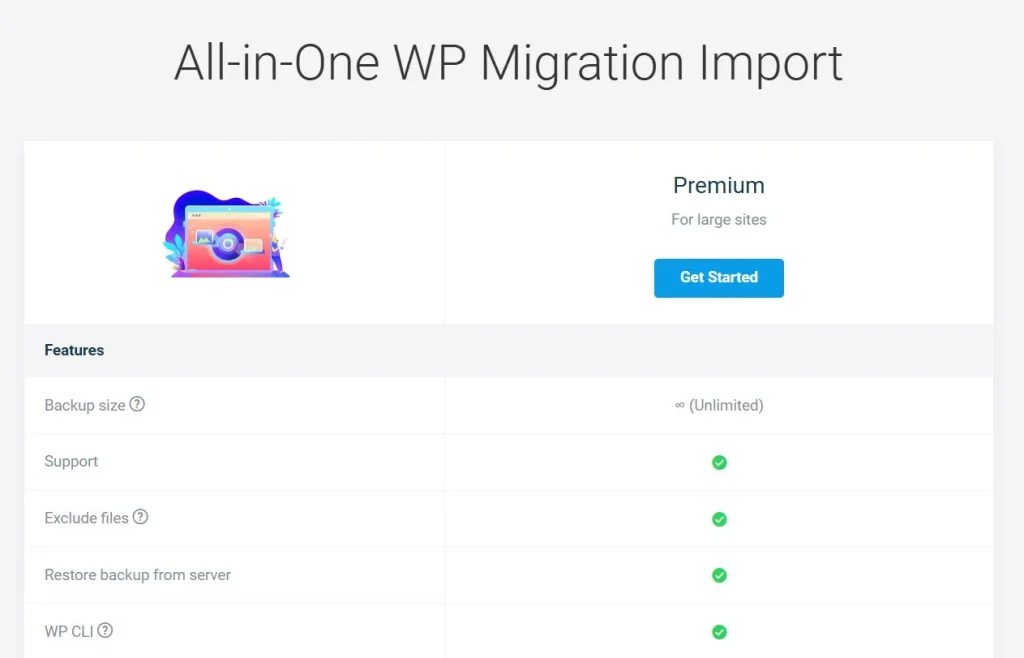
The Unlimited Extension is particularly valuable because it removes file size restrictions. Large websites containing extensive media libraries, thousands of products, membership records, or years of content can be migrated without the limitations often encountered in standard migration tools.
Ultimately, the plugin provides a practical solution for WordPress users who need efficient, reliable, and scalable website migration capabilities.
Key Features of All-in-One WP Migration Unlimited Extension
The popularity of All-in-One WP Migration Unlimited Extension stems from its robust feature set that simplifies migration, backup, and website deployment workflows.
Unlimited Website Imports
- No file size restrictions
- Import large websites easily
- Support enterprise-level projects
- Simplify large-scale migrations
For example, an online store with thousands of products and high-resolution images can be migrated without worrying about upload limitations.
The removal of import restrictions is one of the most significant benefits of the Unlimited Extension. Large websites often exceed the limits imposed by standard hosting environments, making unrestricted imports essential for professional workflows.
Full Website Export Functionality
- Export complete websites
- Include databases and files
- Preserve settings and configurations
- Simplify backup creation
A complete export ensures that all website components remain synchronized during migration and restoration processes.
This comprehensive approach eliminates the need to export databases and files separately, reducing the risk of inconsistencies and migration errors.
One-Click Website Migration
- Simplified migration process
- Minimal technical knowledge required
- Faster project deployment
- Reduced downtime
Users can move websites between servers without manually adjusting database settings or file structures.
This feature is particularly useful for businesses that need to change hosting providers quickly while maintaining operational continuity.
Website Cloning
- Duplicate entire websites
- Create development environments
- Build staging sites
- Standardize project workflows
Agencies frequently use cloning to accelerate client project delivery.
A common workflow involves creating a master website template that can be duplicated and customized for different clients or business locations.
Backup and Restore Capabilities
- Create full backups
- Restore previous versions
- Protect against data loss
- Improve disaster recovery
Reliable restoration functionality helps minimize downtime when unexpected issues occur.
Website owners can restore a fully functional version of their site within minutes rather than rebuilding content manually.
Cloud Storage Compatibility
- Store backups remotely
- Improve backup security
- Access files from multiple locations
- Support long-term storage strategies
Off-site storage provides additional protection against server failures and security incidents.
Organizations often maintain multiple backup copies across different storage providers for added redundancy.
Drag-and-Drop Import System
- User-friendly interface
- Simplified file uploads
- Faster migrations
- Improved accessibility
Even non-technical users can perform website migrations with minimal training.
This intuitive workflow contributes significantly to the plugin’s popularity among beginners.
Search and Replace Functionality
- Update URLs automatically
- Adjust domain references
- Simplify migrations
- Prevent broken links
When moving a website to a new domain, the plugin automatically updates internal references.
This automation eliminates one of the most common sources of migration-related errors.
Multisite Compatibility
- Support WordPress multisite networks
- Simplify network migrations
- Improve scalability
- Centralize management
Organizations operating multiple websites benefit from multisite support.
Network administrators can migrate complex environments more efficiently than with manual methods.
Developer-Friendly Workflows
- Accelerate project deployment
- Standardize website templates
- Simplify testing environments
- Support efficient development
Developers often integrate the plugin into their regular project workflows.
Reusable website configurations save considerable time across multiple projects.
Hosting Provider Independence
- Migrate between hosts
- Avoid vendor lock-in
- Simplify hosting upgrades
- Improve flexibility
Businesses can move websites freely without relying on proprietary migration services.
This flexibility becomes especially valuable as hosting requirements evolve.
Staging Environment Creation
- Test updates safely
- Evaluate plugin compatibility
- Review design changes
- Minimize production risks
Staging environments help reduce the likelihood of introducing problems to live websites.
Teams can experiment with confidence before deploying changes publicly.
Reliable Data Preservation
- Maintain content integrity
- Protect user data
- Preserve configurations
- Reduce migration risks
Accurate data preservation is essential for business continuity and customer trust.
Cross-Platform Compatibility
- Support different server environments
- Simplify migrations across infrastructures
- Improve deployment flexibility
- Enhance portability
The plugin works effectively across a wide range of hosting configurations.
Ongoing Website Management
- Simplify maintenance workflows
- Improve operational efficiency
- Support long-term scalability
- Reduce administrative overhead
Many organizations continue using the plugin long after initial migrations are complete.
Benefits of Using All-in-One WP Migration Unlimited Extension
One of the most significant benefits of All-in-One WP Migration Unlimited Extension is simplicity. Website migration is traditionally considered one of the more complex WordPress tasks. The plugin transforms this process into a workflow that even non-technical users can manage successfully.
Another major advantage is time savings. Manual migrations often require hours of work involving database exports, file transfers, troubleshooting, and testing. The plugin automates many of these tasks, allowing websites to be moved more efficiently.
Reliability is another important benefit. Because the plugin packages entire websites into a single migration file, the risk of missing files, incomplete transfers, or configuration mismatches is significantly reduced.
The Unlimited Extension also provides scalability. As websites grow larger and more complex, file size restrictions can become a major obstacle. Removing these limitations ensures that migrations remain practical regardless of website size.
Developers and agencies benefit from improved workflow efficiency. Website templates, staging environments, and client projects can be cloned rapidly, reducing repetitive setup tasks and accelerating deployment schedules.
Backup management is another area where the plugin provides value. Maintaining complete website copies creates additional protection against data loss, hosting failures, and security incidents.
For organizations managing multiple websites, these benefits contribute to improved productivity, reduced technical risk, and lower operational costs.
Additional value comes from consistency. Using the same migration process across multiple projects helps standardize workflows and reduce training requirements for team members.
The plugin also supports business continuity initiatives. Reliable migration and restoration capabilities help organizations recover more quickly from unexpected events while minimizing service interruptions.
Real Use Cases of All-in-One WP Migration Unlimited Extension
A web design agency can use All-in-One WP Migration Unlimited Extension to create standardized website templates that are cloned and customized for new clients. This significantly reduces development time while maintaining consistent quality.
An eCommerce business migrating to a higher-performance hosting provider can transfer thousands of products, customer records, and order histories without manually handling database exports or file transfers.
Educational institutions often use the plugin to duplicate learning management systems across multiple departments or campuses while maintaining consistent configurations.
Membership websites can create staging environments to test plugin updates and new features before applying them to production systems used by paying subscribers.
Corporate organizations frequently use the plugin when redesigning websites, launching regional versions of existing sites, or consolidating hosting infrastructure.
These examples illustrate the versatility of the plugin across different industries and project types.
Another common scenario involves franchise businesses. A franchise network may use a master website design that is cloned and customized for each location, dramatically reducing development costs and deployment timelines.
Freelancers also benefit from the plugin when transferring completed websites from local development environments to client hosting accounts. This workflow reduces complexity and improves project delivery efficiency.
How to Install All-in-One WP Migration Unlimited Extension
Installing All-in-One WP Migration Unlimited Extension is a straightforward process that requires only a few steps.
Step 1: Download the Plugin Files
Obtain both the All-in-One WP Migration plugin and the Unlimited Extension package.
Step 2: Access WordPress Dashboard
Log in using an administrator account.
Step 3: Install the Core Plugin
Navigate to:
Plugins → Add New Plugin → Upload Plugin
Upload and install the main All-in-One WP Migration plugin.
Step 4: Activate the Plugin
Click Activate Plugin after installation completes.
Step 5: Install the Unlimited Extension
Upload the Unlimited Extension ZIP file using the same plugin installation process.
Step 6: Activate the Extension
Enable the extension within WordPress.
Step 7: Access Migration Tools
Locate the All-in-One WP Migration menu in the dashboard.
Step 8: Create an Export
Select Export and generate a complete website backup file.
The plugin will package:
- Database content
- Themes
- Plugins
- Media files
- Settings
Step 9: Import Into Target Website
Install the plugin on the destination website and use the Import feature to upload the migration file.
Step 10: Verify Website Functionality
Review pages, forms, media files, and integrations to ensure the migration completed successfully.
After installation, many users choose to create an initial backup immediately so they have a recovery point available before making future changes.
It is also recommended to perform test migrations in development environments when working with critical business websites. This helps validate workflows before executing major production changes.
Why Buy All-in-One WP Migration Unlimited Extension at Pluginpro.org
Purchasing All-in-One WP Migration Unlimited Extension through Pluginpro.org offers substantial benefits for developers, agencies, businesses, and WordPress professionals looking to access premium tools while maintaining cost efficiency.
One of the most significant advantages is affordability. Premium WordPress tools often involve recurring subscription fees and licensing costs that increase as the number of managed websites grows. Pluginpro.org helps reduce these expenses while still providing access to professional-grade solutions.
For agencies managing multiple client projects, software costs can accumulate quickly. Migration tools, backup solutions, security plugins, SEO software, and performance optimization resources are often required across every website. Accessing these tools through Pluginpro.org can generate meaningful long-term savings.
Freelancers also benefit from improved profitability. Lower software expenses make it easier to offer competitive pricing while maintaining healthy project margins.
Another advantage is convenience. Pluginpro.org serves as a centralized resource for premium WordPress themes and plugins, reducing the complexity of managing purchases across multiple vendors.
For example, a web development agency building dozens of websites annually may need migration tools, form builders, SEO plugins, backup solutions, and WooCommerce extensions. Acquiring these resources through a single platform streamlines procurement and simplifies project management.
Growing businesses can allocate more budget toward marketing, content creation, advertising, and infrastructure improvements rather than dedicating excessive resources to software licensing.
Developers who frequently create staging environments, test workflows, and launch new projects also benefit from access to a broader collection of professional WordPress tools that support experimentation and innovation.
Beyond cost considerations, Pluginpro.org provides flexibility for organizations scaling their digital operations. As website portfolios expand, access to premium resources becomes increasingly important. Centralized access helps support long-term growth while maintaining operational efficiency.
The savings generated through Pluginpro.org can often be reinvested into customer support, design improvements, user experience enhancements, and business development activities that directly contribute to growth.
Is All-in-One WP Migration Unlimited Extension Worth It?
Yes, All-in-One WP Migration Unlimited Extension is worth it for anyone who regularly migrates, clones, backs up, or deploys WordPress websites.
The plugin is especially valuable for agencies, developers, freelancers, eCommerce businesses, membership platforms, and organizations managing multiple websites. Its ability to remove file size restrictions and simplify migration workflows provides substantial practical benefits.
A practical example would be an agency responsible for launching multiple client websites each month. Instead of rebuilding environments manually or performing complex database transfers, complete websites can be cloned, migrated, and deployed quickly. The resulting time savings often justify the investment on their own.
Businesses changing hosting providers also benefit significantly. Website migrations that might otherwise require technical specialists can often be completed internally using the plugin’s streamlined workflow.
The Unlimited Extension becomes even more valuable as website size increases. Large media libraries, extensive product catalogs, and years of accumulated content can make migrations challenging with standard tools. Removing import limitations ensures that growth does not create new migration obstacles.
For organizations focused on efficiency, reliability, and scalability, the plugin delivers ongoing value beyond simple one-time migrations. Cloning, staging, backup management, and workflow optimization capabilities contribute to long-term operational improvements.
Developers often view the plugin as a productivity tool rather than merely a migration utility. The ability to rapidly replicate environments, test configurations, and deploy projects helps reduce repetitive work and accelerate delivery timelines.
When evaluating both technical convenience and business efficiency, All-in-One WP Migration Unlimited Extension consistently proves to be a worthwhile investment for serious WordPress users.
Conclusion
All-in-One WP Migration Unlimited Extension is one of the most reliable and user-friendly WordPress migration solutions available today. By removing file size restrictions and providing powerful migration, cloning, backup, and restoration capabilities, the plugin simplifies website management for businesses, agencies, developers, and website owners alike.
Its ability to package complete WordPress installations into portable migration files dramatically reduces the complexity traditionally associated with website transfers. Whether moving to a new host, creating staging environments, cloning websites, or maintaining backup strategies, the plugin provides a streamlined workflow that saves time and reduces risk.
The combination of ease of use, scalability, and flexibility makes the plugin suitable for both beginners and experienced professionals. Small blogs, large WooCommerce stores, educational platforms, membership sites, and enterprise websites can all benefit from its capabilities.
As websites grow and digital operations become more complex, efficient migration and backup workflows become increasingly important. All-in-One WP Migration Unlimited Extension provides the tools necessary to support those requirements while maintaining reliability and simplicity.
For anyone seeking a dependable WordPress migration solution that supports long-term growth and operational efficiency, All-in-One WP Migration Unlimited Extension is certainly worth considering.
You may also find value in related plugins such as UpdraftPlus Premium – WordPress Backup Plugin for advanced backup management, WPCode Pro for custom functionality deployment, Duplicator Pro for website migration and cloning, Solid Security Pro for enhanced website protection, and ManageWP Worker for centralized website administration. Together, these tools can help create a secure, scalable, and professionally managed WordPress ecosystem.



