
WPCode Pro is one of the most useful WordPress plugins for website owners, developers, marketers, and agencies who need to add custom functionality to their websites without directly editing theme files. Formerly known as Insert Headers and Footers, WPCode Pro has evolved into a comprehensive code snippet management solution that allows users to safely add custom PHP, JavaScript, CSS, HTML, tracking scripts, conversion pixels, and other website modifications from a centralized dashboard.
Many WordPress users eventually encounter situations where they need to insert custom code. This could involve adding Google Analytics, Facebook Pixel, custom CSS styling, schema markup, WooCommerce customizations, affiliate tracking scripts, or advanced functionality that is not available through standard WordPress settings. Traditionally, these modifications required editing theme files, creating child themes, or relying on developers for even minor changes.
WPCode Pro eliminates much of this complexity by providing a safe and organized environment for managing code snippets. Instead of risking website errors through direct file modifications, users can create, organize, test, and deploy code through a user-friendly interface. This approach reduces technical risks while improving workflow efficiency.
The popularity of WPCode Pro continues to grow because it serves a wide range of users. Beginners appreciate its simplicity and built-in code library, while developers benefit from advanced features such as conditional logic, auto-insertion rules, snippet scheduling, and reusable code management.
Whether you manage a personal blog, an online store, a business website, or multiple client projects, WPCode Pro offers a practical solution for implementing custom functionality while maintaining a cleaner and more manageable WordPress environment.
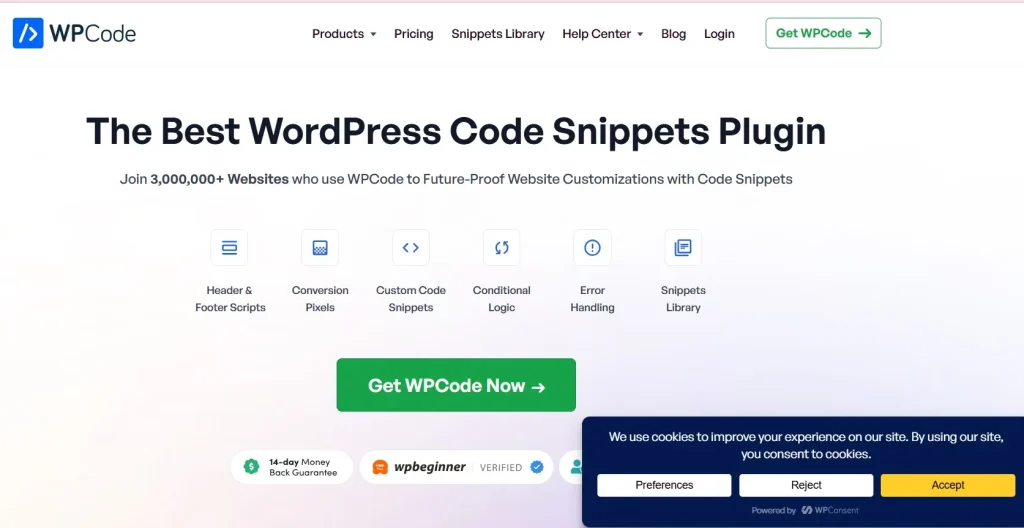
What is WPCode Pro?
WPCode Pro is a premium WordPress plugin designed to help users safely manage and deploy custom code snippets throughout their websites. Rather than editing theme files or installing numerous small plugins, users can add functionality through a centralized code management system.
At its core, WPCode Pro acts as a snippet manager that supports multiple code types, including:
- PHP
- JavaScript
- CSS
- HTML
- Text snippets
- Tracking scripts
- Conversion pixels
- Schema markup
The primary goal of WPCode Pro is to simplify website customization while reducing the risks associated with manual code editing. Users can insert code into specific locations, define conditions for when snippets should run, and organize custom functionality efficiently.
WPCode is commonly used by:
- Website owners
- WordPress developers
- Digital marketers
- SEO professionals
- eCommerce businesses
- Web design agencies
- Bloggers
- Freelancers
For example, a marketer may need to install Google Analytics, Meta Pixel, Google Ads conversion tracking, and other marketing scripts. Without WPCode Pro, this often involves editing theme files or using multiple plugins. With WPCode Pro, all scripts can be managed from a single dashboard.
A WooCommerce store owner may use WPCode Pro to add custom checkout functionality, modify product pages, or insert promotional banners conditionally based on user behavior.
Developers frequently rely on WPCode to manage reusable code snippets across multiple projects. Instead of repeatedly editing theme functions files, they can deploy standardized solutions through a more organized workflow.
Because of its versatility and ease of use, WPCode Pro has become one of the most valuable utility plugins for WordPress users seeking greater flexibility and control.
Key Features of WPCode Pro
WPCode Pro includes an extensive collection of features designed to simplify code management and website customization.
Safe Code Snippet Management
- Add custom code without editing theme files
- Prevent accidental theme modification
- Centralized code organization
- Easier maintenance
For example, users can safely add PHP functionality without touching the functions.php file.
Multiple Code Type Support
- PHP snippets
- JavaScript code
- CSS customizations
- HTML elements
- Tracking scripts
This flexibility allows WPCode Pro to replace several specialized plugins.
Auto-Insertion Locations
- Header scripts
- Footer scripts
- Before content
- After content
- Site-wide placements
Users can control exactly where code appears throughout the website.
Conditional Logic Rules
- Display snippets based on user roles
- Device-specific conditions
- Page targeting
- Category targeting
- URL-based conditions
This advanced functionality allows highly customized implementations.
Built-In Code Snippet Library
- Ready-made code solutions
- Popular WordPress customizations
- Marketing integrations
- SEO enhancements
Beginners can implement advanced functionality without writing code from scratch.
Conversion Pixel Management
- Google Ads tracking
- Meta Pixel integration
- TikTok Pixel support
- Marketing script deployment
Digital marketers often use WPCode to centralize tracking code management.
Custom PHP Functionality
- Extend WordPress features
- Create custom workflows
- Implement advanced logic
- Replace standalone plugins
Developers appreciate the flexibility this provides.
Reusable Snippet System
- Save snippets for future projects
- Standardize development workflows
- Improve efficiency
- Reduce repetitive work
Agencies managing multiple websites benefit significantly from reusable code libraries.
Snippet Scheduling
- Schedule activation dates
- Set expiration dates
- Manage seasonal campaigns
- Automate code deployment
Marketing teams frequently use scheduling features for promotional campaigns.
Error Protection
- Safe code execution
- Reduced risk of site crashes
- Easier debugging
- Improved stability
WPCode Pro helps prevent common mistakes associated with manual code editing.
WooCommerce Support
- Product page customization
- Checkout enhancements
- Store functionality modifications
- eCommerce workflow improvements
WooCommerce users can implement advanced customizations without modifying templates.
Custom CSS Management
- Site-wide styling changes
- Design adjustments
- Responsive enhancements
- Branding improvements
Many users rely on WPCode for lightweight design customizations.
Advanced Script Management
- Analytics scripts
- Tracking codes
- Marketing tags
- Third-party integrations
A single dashboard simplifies script administration.
Access Controls
- User role restrictions
- Administrative permissions
- Team collaboration support
- Improved security
Organizations can manage code access more effectively.
Cloud Library Features
- Shared code snippets
- Team collaboration
- Cross-project deployment
- Faster development workflows
This feature is particularly useful for agencies and development teams.
Benefits of Using WPCode Pro
One of the biggest benefits of WPCode Pro is improved website management. Instead of modifying theme files directly, users can manage custom functionality through a centralized interface. This reduces complexity and improves long-term maintainability.
Another major advantage is safety. Editing WordPress core files or theme functions can introduce errors that break websites. WPCode Pro minimizes these risks by providing structured code management with built-in safeguards.
Workflow efficiency also improves significantly. Developers and agencies can reuse code snippets across multiple projects, reducing repetitive tasks and accelerating development timelines.
The plugin helps reduce plugin overload as well. Many simple customizations that would otherwise require separate plugins can be implemented through WPCode Pro snippets instead.
Marketers benefit from streamlined script management. Analytics tools, advertising pixels, conversion tracking scripts, and marketing integrations can all be managed from one location.
Flexibility is another important advantage. Conditional logic allows users to display code only when needed, improving performance and enabling more advanced customization strategies.
For businesses managing growing websites, WPCode Pro provides scalability. New functionality can be added efficiently without creating administrative clutter or technical debt.
These benefits make WPCode Pro valuable for both technical and non-technical WordPress users.
Real Use Cases of WPCode Pro
An eCommerce business can use WPCode Pro to add custom checkout functionality, promotional banners, conversion tracking scripts, and WooCommerce enhancements without editing theme files.
A digital marketer may centralize all advertising and analytics scripts, including Google Analytics, Google Ads, Meta Pixel, and TikTok Pixel, within a single management interface.
A web design agency can build a library of reusable code snippets that streamline development across multiple client projects, reducing implementation time and maintaining consistency.
SEO professionals often use WPCode to add structured data, schema markup, custom tracking scripts, and search optimization enhancements.
Content publishers may implement custom post features, advertisement placements, affiliate tracking codes, and user engagement tools through conditional snippets.
These practical examples demonstrate why WPCode continues to be one of the most versatile utility plugins available for WordPress.
How to Install WPCode Pro
Installing WPCode Pro is a simple process that can be completed within a few minutes.
Step 1: Download the Plugin
Obtain the WPCode Pro ZIP installation package and save it to your computer.
Step 2: Access the WordPress Dashboard
Log in using an administrator account.
Step 3: Navigate to Plugin Installation
Go to:
Plugins → Add New Plugin → Upload Plugin
Select the WPCode Pro ZIP file.
Step 4: Upload and Install
Click Install Now and allow WordPress to complete the installation.
Step 5: Activate WPCode Pro
After installation finishes, click Activate Plugin.
Step 6: Open WPCode Settings
Locate the WPCode menu within the WordPress dashboard.
Step 7: Create a New Snippet
Choose the type of code you want to add:
- PHP
- JavaScript
- CSS
- HTML
- Tracking scripts
Step 8: Configure Insertion Rules
Select where the snippet should appear.
Options may include:
- Header
- Footer
- Before content
- After content
- Specific pages
Step 9: Apply Conditional Logic
Define when the snippet should execute based on user roles, content types, devices, or other conditions.
Step 10: Save and Activate
Review the configuration, save the snippet, and activate it.
The code will begin functioning according to the rules you have defined.
Why Buy WPCode Pro at Pluginpro.org
Purchasing WPCode Pro through Pluginpro.org offers significant advantages for website owners, developers, marketers, and agencies seeking premium WordPress tools while managing costs effectively.
One of the biggest benefits is affordability. Premium WordPress plugins often require annual subscriptions and recurring license renewals. For professionals managing multiple websites, these expenses can accumulate quickly. Pluginpro.org provides access to premium resources at considerably lower costs.
Freelancers can improve project profitability by accessing premium tools without purchasing separate licenses for every client website. This creates greater flexibility while maintaining professional service quality.
Agencies managing dozens of websites benefit from reduced software expenses. A single workflow can be standardized across multiple projects while keeping operational costs under control.
Another advantage is convenience. Pluginpro.org offers a broad collection of premium themes and plugins through a centralized platform, simplifying resource management and website development processes.
For example, a digital agency may require WPCode Pro, SEO plugins, form builders, performance optimization tools, and WooCommerce extensions across numerous projects. Acquiring these resources through Pluginpro.org can result in substantial long-term savings.
Businesses launching new websites often need to balance development budgets carefully. Lower software costs allow more resources to be allocated toward content creation, marketing, advertising, and growth initiatives.
Developers who frequently experiment with custom functionality gain access to a wide range of premium WordPress resources that support innovation and faster project deployment.
For professionals seeking premium WordPress solutions with excellent value, Pluginpro.org provides a practical and cost-effective option.
Is WPCode Pro Worth It?
Yes, WPCode Pro is worth it for anyone who regularly adds custom functionality, scripts, tracking codes, or design modifications to WordPress websites.
The plugin is especially valuable for developers, agencies, marketers, eCommerce businesses, and website owners who want a safer and more organized alternative to editing theme files directly. Its code management capabilities reduce risks while improving workflow efficiency.
A practical example would be a marketing team managing multiple conversion tracking platforms. Instead of installing several tracking plugins or editing theme files, all scripts can be centralized within WPCode Pro. This simplifies administration and reduces potential conflicts.
Similarly, a development agency can maintain a library of reusable snippets that accelerate project delivery and improve consistency across client websites.
For users seeking flexibility, safety, and scalability, WPCode Pro offers substantial long-term value.
Conclusion
WPCode Pro is one of the most useful WordPress utility plugins available for managing custom code, scripts, tracking pixels, design modifications, and advanced functionality. By providing a centralized and secure environment for code management, the plugin eliminates many of the risks associated with direct theme editing while improving workflow efficiency.
Its support for PHP, JavaScript, CSS, HTML, analytics scripts, conversion tracking, conditional logic, and reusable snippets makes it an essential tool for developers, marketers, agencies, and business owners alike. Whether you need to add custom WooCommerce functionality, deploy advertising pixels, implement SEO enhancements, or manage site-wide scripts, WPCode Pro provides a flexible and reliable solution.
The plugin’s scalability ensures that it remains useful as websites grow and customization requirements become more complex. By reducing plugin dependency and simplifying code administration, WPCode Pro helps maintain cleaner, more manageable WordPress installations.
For anyone looking to extend WordPress functionality safely and efficiently, WPCode Pro is absolutely worth considering.
You may also find value in related plugins such as Advanced Custom Fields Pro for custom content management, Admin and Site Enhancements (ASE) Pro for dashboard optimization, Perfmatters for performance improvements, Fluent Forms Pro for advanced form building, and WP Mail SMTP Pro for reliable email delivery. Together, these tools can help create a powerful and efficient WordPress ecosystem.



