As WordPress websites become more advanced, managing structured content efficiently becomes increasingly important. Whether you’re building a WooCommerce store, a business website, a directory, or a membership platform, you’ll often need more flexibility than the default WordPress editor can provide.
That’s why many developers turn to ACF Pro (Advanced Custom Fields Pro). With its powerful custom field system, lightweight architecture, and excellent developer experience, ACF Pro has become one of the most trusted tools for building dynamic WordPress websites.
If you’re searching for the best WordPress custom fields plugin, ACF Pro is consistently one of the top choices. In this review, we’ll examine its features, performance, pros and cons, recommended plugins, and help you decide whether it’s the right solution for your next WordPress project. ACF Pro is widely regarded as one of the best WordPress custom fields plugins because it allows developers to create structured content, build dynamic websites, and manage custom data efficiently without sacrificing performance.
1. What Is ACF Pro?
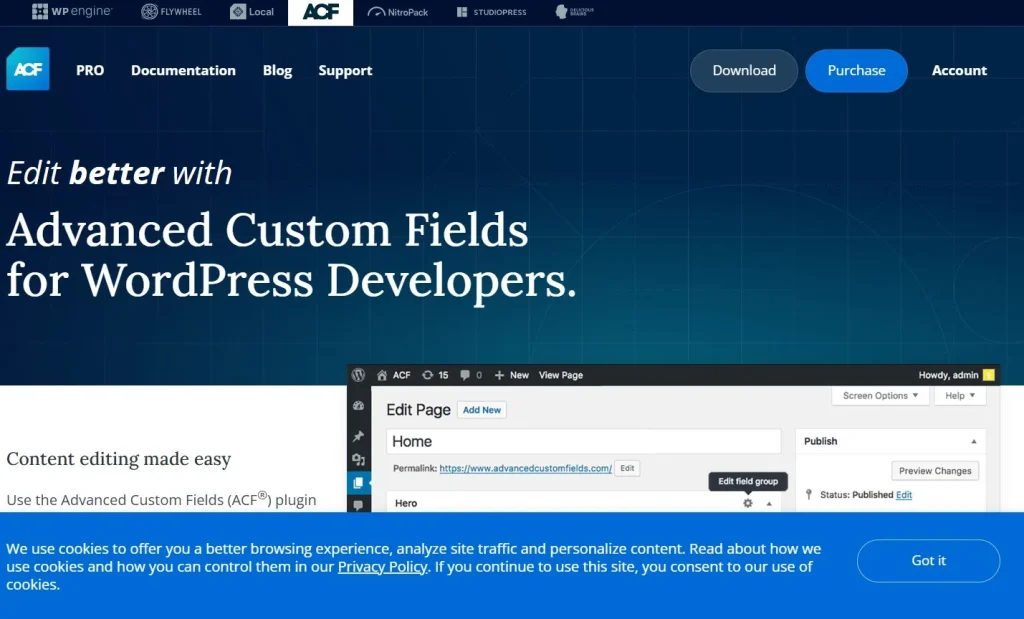
ACF Pro (Advanced Custom Fields Pro) is a premium WordPress plugin that helps developers build dynamic, data-driven websites by creating custom fields for virtually any type of content. Instead of relying solely on the default WordPress editor, ACF Pro lets you add structured data to posts, pages, WooCommerce products, custom post types, taxonomies, users, and more through an intuitive interface.
One of ACF Pro’s biggest strengths is its flexibility. It includes powerful features such as Repeater Fields, Flexible Content Fields, Gallery Fields, Clone Fields, and Options Pages, making it easy to create complex content structures without building custom solutions from scratch. Whether you’re developing a WooCommerce store, a business website, a real estate platform, or a membership site, ACF Pro helps organize content in a way that’s both scalable and easy to manage.
Unlike visual page builders that generate large amounts of frontend code, ACF Pro focuses on structured content management. Developers have complete control over how data is displayed, resulting in cleaner code, better performance, and greater flexibility for custom development.
These advantages have made Advanced Custom Fields (ACF Pro) one of the most trusted tools in the WordPress ecosystem. From freelancers and agencies to enterprise development teams, many professionals consider it the best WordPress custom fields plugin for building fast, maintainable, and highly customized WordPress websites.
2. Why ACF Is the Best WordPress Custom Fields Plugin
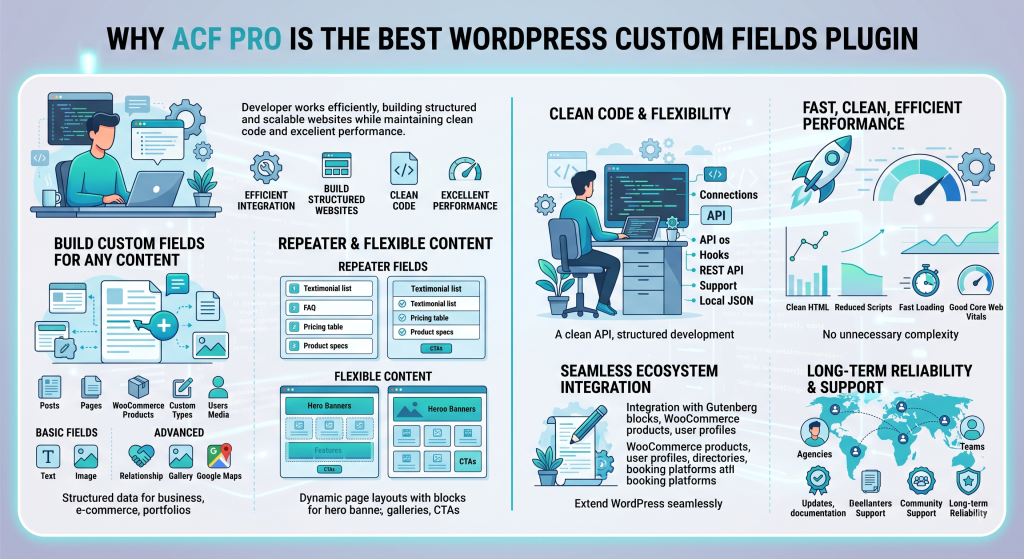
What sets ACF Pro apart isn’t just the number of field types it offers, it’s how efficiently those fields integrate with WordPress. Rather than adding unnecessary complexity, ACF focuses on helping developers build structured, scalable websites while maintaining clean code and excellent performance.
From simple business websites to complex WooCommerce stores and enterprise applications, the following features explain why many professionals consider ACF Pro the best WordPress custom fields plugin.
2.1. Create Custom Fields for Any Content
At its core, ACF Pro makes it easy to create custom fields for virtually any type of content. You can add structured data to posts, pages, WooCommerce products, custom post types, taxonomies, users, media, and moreall through an intuitive interface.
The plugin includes a wide range of field types, from basic text, image, and URL fields to more advanced options like Relationship, Gallery, Google Maps, and Taxonomy fields. This flexibility allows you to build custom solutions for product specifications, team profiles, property listings, event information, FAQs, and countless other use cases.
Because content is stored in a structured format instead of being embedded directly in the editor, it’s easier to manage, reuse, and display consistently across your website. This level of flexibility is a major reason ACF Pro is frequently recommended as the best WordPress custom fields plugin for custom content management.
2.2. Repeater and Flexible Content Fields
Two of ACF Pro’s most valuable features are Repeater Fields and Flexible Content Fields.
Repeater Fields allow editors to add an unlimited number of items without creating dozens of individual fields. They’re ideal for managing testimonials, pricing tables, FAQs, team members, product specifications, and similar repeatable content.
Flexible Content Fields take this a step further by allowing developers to create predefined content layouts that editors can arrange in any order. Instead of relying on a visual page builder, users can build dynamic pages using reusable sections such as hero banners, feature lists, image galleries, testimonials, and call-to-action blocks.
Together, these features make content management much more efficient while giving developers complete control over the frontend output. For developers building reusable layouts, these Pro features help ACF stand out as the best WordPress custom fields plugin for complex, content-driven websites.
2.3. Built for Developers
ACF Pro has become a favorite among WordPress developers because it integrates naturally with existing development workflows. Its clean API, support for hooks and filters, REST API compatibility, and Local JSON functionality make it easy to build and maintain custom themes, plugins, and dynamic websites.
Rather than forcing developers into a specific framework, ACF works alongside native WordPress features, allowing projects to remain lightweight, organized, and easy to scale over time.
2.4. High Performance
Unlike many visual page builders, ACF Pro doesn’t generate unnecessary frontend code. It simply stores structured data and lets developers decide how that data should be displayed.
This approach produces cleaner HTML, reduces unnecessary scripts, and helps websites load faster. Combined with good hosting, caching, and image optimization, ACF provides an excellent foundation for strong Core Web Vitals and long-term website performance.
For businesses planning to scale their websites, this lightweight architecture makes ongoing maintenance much easier.
2.5. Excellent WordPress & WooCommerce Integration
ACF Pro integrates smoothly with nearly every part of WordPress. In addition to posts and pages, it works with WooCommerce products, custom post types, taxonomies, users, and Gutenberg blocks.
This makes it an excellent choice for building product catalogs, business directories, learning management systems, membership websites, booking platforms, and other data-driven projects. Because ACF extends WordPress instead of replacing it, developers can create highly customized websites without sacrificing compatibility or performance.
2.6. Trusted by the WordPress Community
Another reason ACF Pro remains one of the most popular development plugins is its long-standing reputation. It has been actively maintained for years and is trusted by freelancers, agencies, and enterprise development teams worldwide.
Regular updates, comprehensive documentation, and a large developer community make it easy to find tutorials, code examples, and solutions for almost any use case. This long-term reliability gives developers confidence that websites built with ACF Pro will remain stable and maintainable for years to come.
Taken together, these strengths explain why ACF Pro continues to be recognized as one of the best WordPress custom fields plugins available today. Its combination of flexibility, performance, and developer-friendly architecture makes it suitable for everything from small business websites to complex custom WordPress applications.
3. ACF Pro Pros and Cons
Even the best WordPress custom fields plugin will have strengths and limitations. ACF Pro excels at building structured, scalable websites, but it may not suit users looking for a completely visual, no-code website builder.
| Pros | Cons |
| Flexible custom fields for virtually any type of content | Advanced features require the Pro version |
| Repeater Fields and Flexible Content for dynamic layouts | Basic PHP knowledge is helpful for custom templates |
| Lightweight architecture with clean frontend output | Not designed as a drag-and-drop page builder |
| Excellent performance and SEO-friendly structure | Large projects require thoughtful field planning |
| Seamless integration with WordPress, WooCommerce, and Custom Post Types | Some advanced implementations may require developer experience |
| Developer-friendly API with extensive documentation | |
| Regular updates and a large developer community |
Overall, ACF Pro’s advantages far outweigh its limitations for developers, agencies, and businesses building custom WordPress websites. If your goal is to create structured, high-performance websites that remain easy to maintain as they grow, ACF Pro continues to be one of the strongest solutions available.
4. Recommended Plugins to Use with ACF Pro
Although ACF Pro is already considered one of the best WordPress custom fields plugin options, pairing it with the right tools can streamline your workflow and extend its functionality. Here are five plugins that work particularly well with ACF Pro.
4.1. Custom Post Type UI
Custom Post Type UI (CPT UI) is one of the most popular plugins to use alongside ACF Pro. While ACF manages custom fields, CPT UI simplifies the creation of Custom Post Types and taxonomies without requiring PHP code. Together, they provide a solid foundation for building directories, portfolios, property listings, event websites, and other data-driven WordPress projects.
4.2. FacetWP
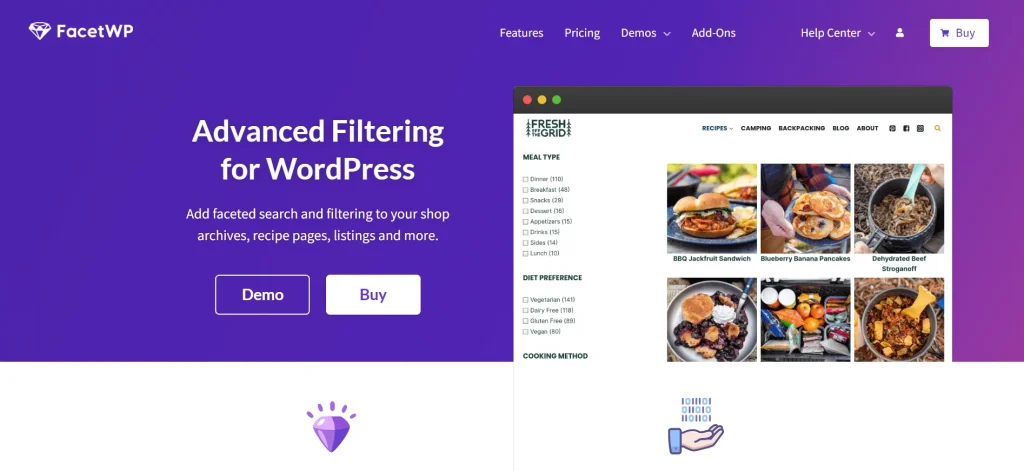
FacetWP adds powerful filtering and search capabilities to websites built with ACF. It can use ACF field data to create dynamic filters for products, listings, courses, properties, or directories, making large websites much easier for visitors to navigate. It’s an excellent choice for projects with extensive structured content.
4.3. WP All Import Pro
WP All Import Pro simplifies importing large amounts of structured data into WordPress. It supports mapping CSV and XML files directly to ACF fields, making it ideal for WooCommerce catalogs, business directories, real estate listings, and other websites that manage large datasets.
4.4. Fluent Forms Pro
Fluent Forms Pro works well with ACF by allowing frontend forms to populate custom fields automatically. This makes it easy to build user submission forms, membership registrations, event applications, or customer onboarding systems without developing custom form handlers.
4.5. Perfmatters
Although ACF Pro is already lightweight, Perfmatters helps optimize the overall WordPress environment by removing unnecessary scripts and improving asset loading. Combined with ACF’s clean architecture, it helps create faster websites with better Core Web Vitals and a smoother user experience.
5. Who Should Use ACF Pro?
ACF Pro is designed for anyone who needs more control over WordPress content. While it’s especially popular among developers, it’s also a great fit for agencies, WooCommerce businesses, and organizations managing large amounts of structured data.
5.1. WordPress Developers
If you regularly build custom themes or plugins, ACF Pro can become one of your most valuable development tools. It lets you create structured content quickly, keeps your templates clean, and gives you complete control over how data is displayed on the frontend.
5.2. Agencies and Freelancers
For agencies and freelancers, ACF Pro makes it easier to build websites that clients can update without breaking the design. Reusable field groups, consistent content structures, and straightforward maintenance also help speed up future projects.
5.3. WooCommerce Store Owners
WooCommerce stores often need more than the default product fields. With ACF Pro, you can add product specifications, size guides, warranty details, FAQs, downloadable files, or other custom information to create more informative product pages and improve the shopping experience.
5.4. Businesses with Custom Content
If your website manages property listings, events, team members, case studies, directories, courses, or similar content, ACF Pro helps organize everything in a structured way. This makes content easier to update and keeps the backend much more manageable as your website grows.
6. Frequently Asked Questions
1. Is ACF Pro worth it?
Yes. If you’re building custom WordPress websites, ACF Pro is well worth the investment. Features like Repeater Fields, Flexible Content, Options Pages, and advanced field types save development time while making websites easier to manage and scale.
2. Is ACF the best WordPress custom fields plugin?
Advanced Custom Fields Pro (ACF Pro) combines powerful custom fields, excellent performance, clean code, and seamless WordPress integration, making it one of the best WordPress custom fields plugins for both small and large projects.
3. Does ACF Pro work with WooCommerce and Gutenberg?
Absolutely. ACF Pro integrates smoothly with WooCommerce, Custom Post Types, and the WordPress Block Editor (Gutenberg). You can extend product pages, create custom blocks, and build dynamic content while maintaining excellent performance.
4. Can beginners use ACF Pro?
Yes, although there’s a learning curve. Creating custom fields is straightforward, but displaying them on the frontend often requires some knowledge of WordPress themes or basic PHP. As your skills grow, ACF Pro becomes an increasingly powerful development tool.
5. Where can I get ACF Pro?
You can download ACF Pro from the official website or get the latest GPL version from PluginPro. If you use premium WordPress products regularly, PluginPro Membership is a cost-effective way to access ACF Pro alongside many other premium themes and plugins under a single subscription.
8. Conclusion
If you’re looking for the best WordPress custom fields plugin, ACF Pro is one of the strongest choices available. It gives developers the flexibility to build custom WordPress websites while keeping content organized, scalable, and easy to manage. From WooCommerce stores and business websites to directories and membership platforms, ACF Pro provides a reliable foundation for projects of almost any size.
While it does require some WordPress development knowledge, the flexibility and long-term benefits make it well worth the investment for professionals and growing businesses alike.
Ready to build with ACF Pro? Download the latest GPL version of ACF Pro from PluginPro, or explore PluginPro Membership if you regularly use premium WordPress themes and plugins.